
C-
Genre: Not a Book
I really love looking at the colorful art on the covers of books, which is in part why my physical library is shelved by color and why I belong to book subscriptions like Illumicrate and Owlcrate–so I can get those beautiful special editions.
I read mostly on my Kindle Oasis, but I definitely love the look of physical books. When the new Kindle Colorsoft came out, I thought that maybe this would reduce my need to buy physical books as well as digital–since I’d have those color covers I crave on my device.
My verdict on the device? It’s not worth the hefty $279 price tag.
I won’t be returning mine and I am happy to have a color e-reader, but it definitely feels like it was rushed to market, possibly for the holidays?
First of all, I can’t read on a “shiny” tablet due to the glare and just general eye strain which is why I’ve always preferred an e-ink product. I love my Oasis and it’s side buttons for turning pages, but it’s not being supported by Amazon any longer.
Kobo also has Kobo Libra Colour ($220), but I felt like somehow transferring my library of Amazon-bought books and arcs would be a lot of work I didn’t want to do.
When the Colorsoft was released I pre-ordered it for my birthday. At first I was delighted with the novelty of having my library in color. This new Kindle is also 7″ which is slightly bigger than the most recent Paperwhite generation, or a full inch larger than the Paperwhite generation before it. It’s lightweight and easy to hold.
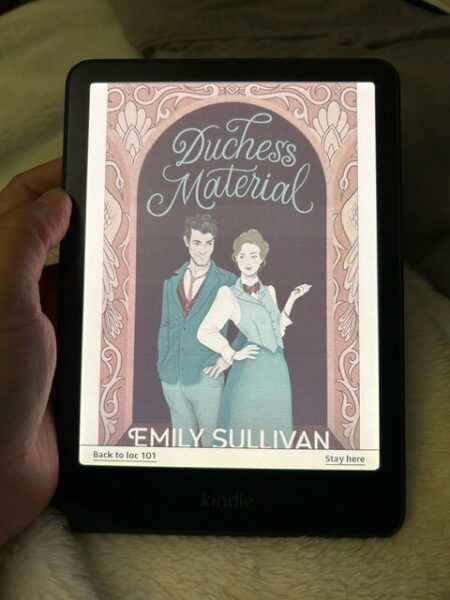
It arrived on a Friday after work and it was a windy, rainy night: perfect for some reading. The above picture shows how the colors look when in a room with artificial lighting.
My initial delight wore off as the rest of the weekend went by and I started to find more flaws in my device.
The new device has issues with yellows and oranges coming out muddy, and it’s especially bad when paired with pinks. Below are two examples.
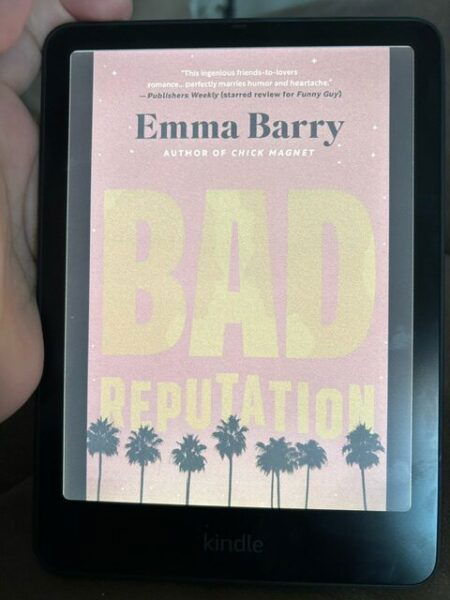
I took both of these pictures in natural light. In general, yellow seems to have a brownish hue.
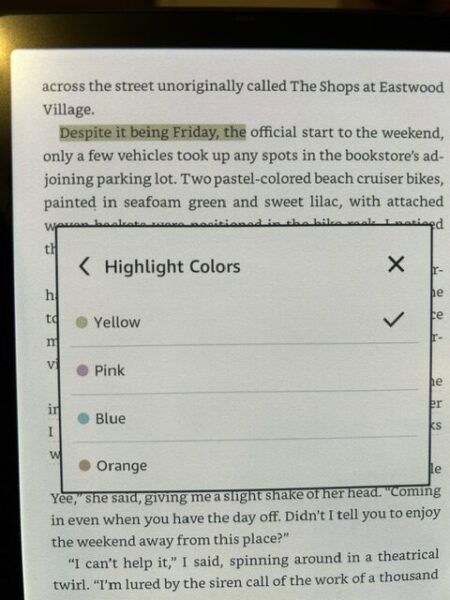
Being able to highlight in different colors was appealing, but the yellow here looks like baby poop brown to me.
The Colorsoft definitely captures blues and greens much better, but when mixed with browns, golds or yellows, it looks toned down again.
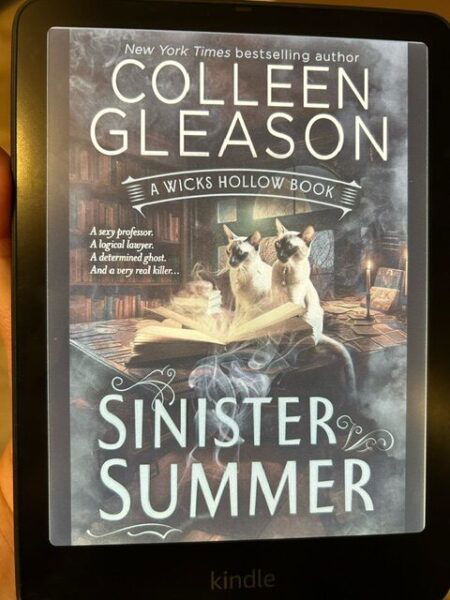
There are two color settings: Standard and Vivid. I’ve been keeping mine set to Vivid.
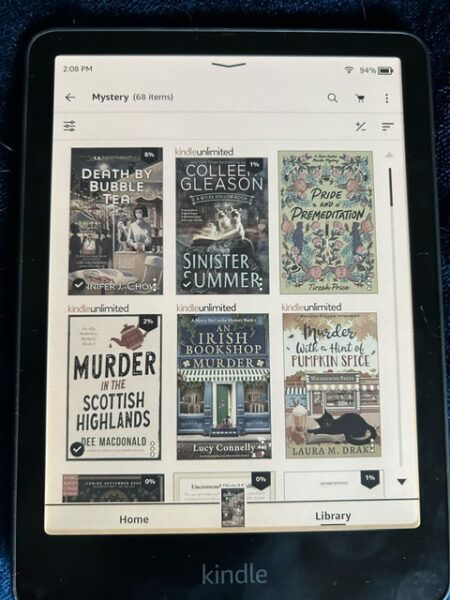
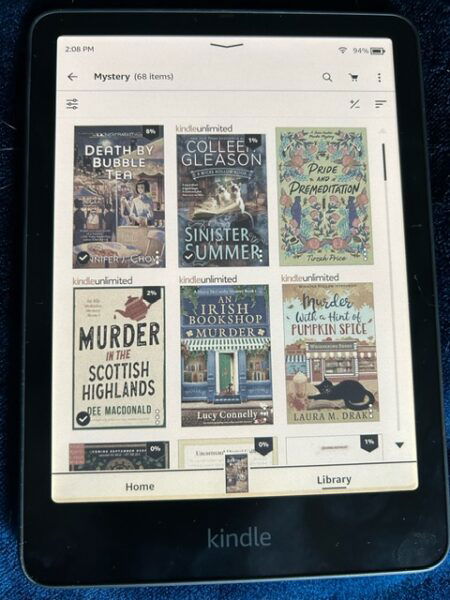
The Vivid setting seems to pop the orange more, which helps some of the color issues but not all.
Some readers also reported that there is a yellowish haze at the very bottom of the white reading screen. However, Amazon has said they are doing a software update to correct that.
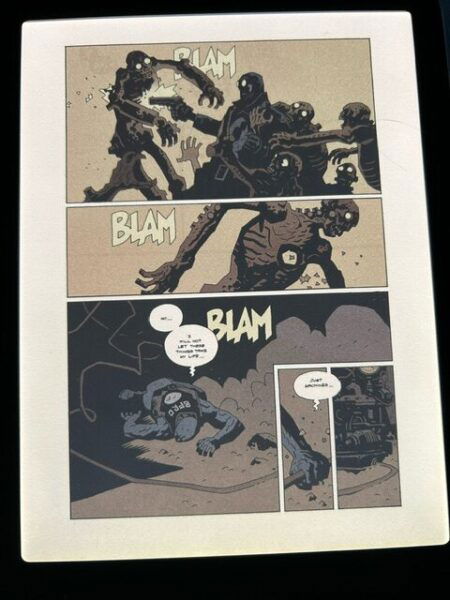
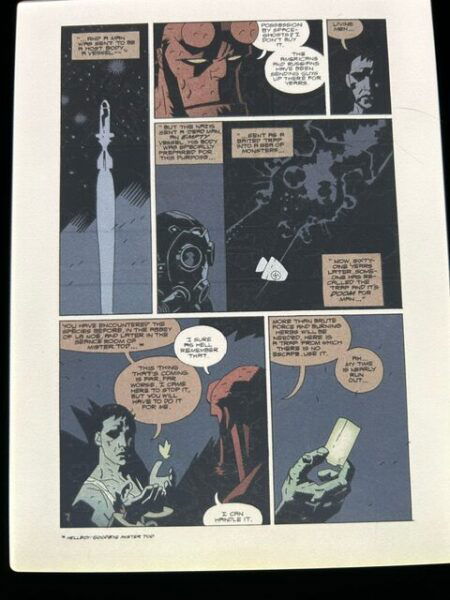
The only comics I had to show you were Hellboy, which tends to be pretty muted in color anyway, but here you go:
Overall, I would wait to buy this product unless having color is something extremely important to you on an e-ink device. I suspect future generations of this product will come out with the yellow/orange issue improved.
Other than the color aspect and the slightly larger size, there’s no real difference between it and the Paperwhite. It’s still a great e-reader, but the color functionality isn’t quite there and therefore, IMHO, not worth another $120.
I’m willing to bet this was rushed to market for the holiday and possibly also to keep up with the surge of paper purchases for bookstagramming purposes. We’ll see if a software update helps some of the issues or if a newer, improved model comes out in a year.
Tom’s Guide has a statement from Amazon, but shipping/delivery dates are still not clear.
This book is available from:

As an Amazon Associate we earn from qualifying purchases.
We also may use affiliate links in our posts, as well.
Thanks!

I bought one, then returned it. The yellow bar at the bottom was distracting. And I really want buttons. I am seriously thinking of moving to Kobo. I have been watching videos on YouTube and people are able to move their books. Yes it takes a little work but I am also thinking that it may wise to store my ebooks on a separate hard drive.
$280 for an ebook reader? For that kind of money you might as well get an actual tablet, even if the display was perfect.
This is funny timing for me, because I’ve just spent a couple of days pondering a new ereader and researching options. I am hoping to replace my old 2018 Kindle Paperwhite soonish after years of heavy use. This has cemented my thoughts that the new Coloursoft isn’t worth considering, for my purposes. Thanks for the review and images!
Despite having several Kindles in the past I am keen to move away from Amazon. I’m really tempted to try the Kobo Libra Colour instead, especially because I would love to have page turning buttons. It’s cheaper than the Coloursoft, seems to be better reviewed in some places, and here in the UK I believe Kobo is the only easy way to get Libby library books on an ereader (we can’t access them on Kindles, unlike in the US).
I don’t mind fiddling with the tech to convert/transfer ebooks. I’m increasingly fed up that Amazon try to lock you into their ecosystem and prevent any access on other platforms, but it’s possible (currently…) to use Calibre for this with a bit of googling. Worth it imo because I’ve had issues with occasional digital content I’ve bought on Amazon disappearing later on – mainly music so far, but I just don’t trust them. I think if there are any Black Friday deals for Kobos that might be my plan, because the longer I leave it the harder it’ll be to jump ship.
If anyone has experience with Kobos – especially the new ones – I’d be really interested what you think of them as an alternative to Kindle.
Somewhat related question to BethB’s comment above, does anyone know of any good instructions to transfer a Kindle book collection to a hard drive? I’m likewise distrustful but also have literally thousands of books between mine and my partner’s library. I’ve been struggling to find a real answer from anyone that’s actually done it.
@BethB I’m in the UK and have a Kobo Libra H20 and Kobo Clara Colour. I can’t really compare them to Kindles, as the Kindle I had before was a Kindle Keyboard from years ago.
I got my Libra H20 a few years ago and I’ve not had any major problems with it. It has frozen a few times but I always restarted it okay.
The syncing with Libby is automatic once you’re logged in. The downside is that it only logs you into one library account at a time, but sometimes it will still sync your previous library account books as well as the account you’re logged into.
I brought my ‘zon library across using Calibre and a plug-in; it took a bit of time for me to figure it out at first, but once I sussed it, it’s fine. The imported books on your Kobo won’t sync their progress if you also have the app or another reader, but I’ve never had any problems with reading the converted & imported books themselves.
Personally I love both my Kobos & the Libra fully converted me to big ebook fan. I’ve also read good things online from Kobo fans talking about how the devices last a long time and the OS doesn’t really outdate.
The colour quality on the Clara Colour isn’t amazing, but I think it’s pretty good for a first generation device and the highlight colours are definitely better than the kindle photos above. I’d also caveat that I do always have my screen on a sepia setting and low brightness. My main sadness was that when the screen is locked, the colours dim a lot, so I couldn’t admire the book cover on my lockscreen like I’d hoped to.
I really like that with the Libra H20 I can read it in landscape, as my brain likes that orientation.
@Dreamingintrees what I used to convert my kindle books was Calibre with a plug-in, using instructions from Apprentice Alf (if I remember correctly). If you own a Kindle, then you basically use its keycode to “unlock” the ebooks, so you can then convert them into a format of your choosing. There are some reddit threads & blog posts that should have help as well.
@Kir sorry for the slow reply (not sure why, but my phone is not co-operating with SB comments at the moment, had to wait until I was back to my PC) – but thank you so much for the response, your comment really helps and I appreciate the insights! 🙂